Handling Complex Numbers in Python (complex)
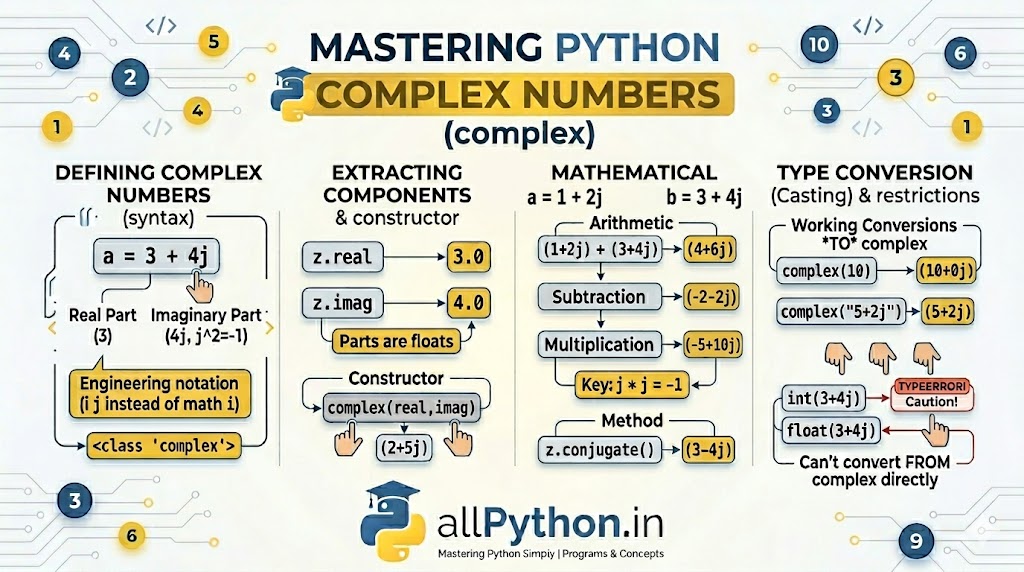
While many programming languages require external libraries to handle complex mathematics, Python has built-in, native support for the complex data type. A complex number consists of two parts: a real part and an imaginary part, making it an essential tool for electrical engineering, quantum physics, and advanced mathematical computations.
1. Defining Complex Variables
In Python, you can define a complex number by appending a j or J to the imaginary part. Note that Python follows the engineering convention of using 'j' instead of the mathematical convention of 'i' to avoid confusion with the symbol for electrical current.
Direct Assignment
# Creating complex variables
z1 = 3 + 4j
z2 = -5j      # Purely imaginary number
z3 = 2.5 + 0j # Real number represented as complex

print(type(z1))  # Output: <class 'complex'>
Using the complex() Constructor
You can also create complex numbers using the built-in complex(real, imag) function.
# Using the constructor
c_num = complex(5, 7)
print(c_num)  # Output: (5+7j)
2. Extracting Real and Imaginary Parts
Every complex object in Python has built-in attributes that allow you to easily extract its individual components. Note that Python always returns these parts as float numbers.
z = 4 + 9j

# Extracting the real part
print(z.real)  # Output: 4.0

# Extracting the imaginary part
print(z.imag)  # Output: 9.0
3. Mathematical Operations
Python naturally supports standard arithmetic operations with complex numbers without needing any special syntax. You can add, subtract, multiply, and divide them effortlessly.
a = 2 + 3j
b = 1 + 2j

print(a + b)  # Output: (3+5j)
print(a - b)  # Output: (1+1j)
print(a * b)  # Output: (-4+7j)  (Because j*j = -1)
print(a / b) # Output: (1.6-0.2j)z = 3 + 4j
print(z.conjugate()) # Output: (3-4j)4. Type Conversion (Casting) Restrictions
Type conversion with complex numbers has very specific, strict rules compared to integers and floats.
Converting TO Complex
You can easily convert integers, floats, and strings to complex numbers. If you omit the imaginary part, Python defaults it to 0j.
print(complex(10))      # Output: (10+0j)
print(complex(3.14))    # Output: (3.14+0j)
print(complex("5+2j")) # Output: (5+2j)You cannot cast a complex number into an integer or a float. Because a complex number has two dimensions, Python does not know which part you want to keep. Attempting to do so will raise a
TypeError.
z = 5 + 2j
# int(z)    # Raises TypeError: can't convert complex to int
# float(z) # Raises TypeError: can't convert complex to floatint(z.real).
💡 Advanced Fact: The `cmath` Module
While Python's standard math module is great for real numbers, it will throw a TypeError if you try to use it with complex numbers (e.g., trying to find the square root of a negative number).
Instead, Python provides a dedicated cmath (complex math) module designed specifically to handle these advanced mathematical scenarios, including polar coordinates.
import cmath

# Square root of a negative number (impossible in standard math)
result = cmath.sqrt(-16)
print(result)  # Output: 4j

# Finding polar coordinates (radius and phase)
print(cmath.polar(1 + 1j))  # Output: (1.4142135623730951, 0.7853981633974483)